hi
An employee onboarding and offboarding platform. A demo I designed and built end to end.
The problem
Onboarding a new hire touches HR, IT and the hire themselves, and it usually lives in emails, spreadsheets and manual account creation. Details get lost, accounts show up late, and offboarding is the step most often forgotten, which is also the one with the biggest security risk.
hi turns that into one tracked process: HR sees where every hire stands, and the hire does everything in one place, on their own schedule, before day one.
How it works
Invite
HR pre-registers a new hire with their personal email. Only invited people can get in.
BuiltSign in
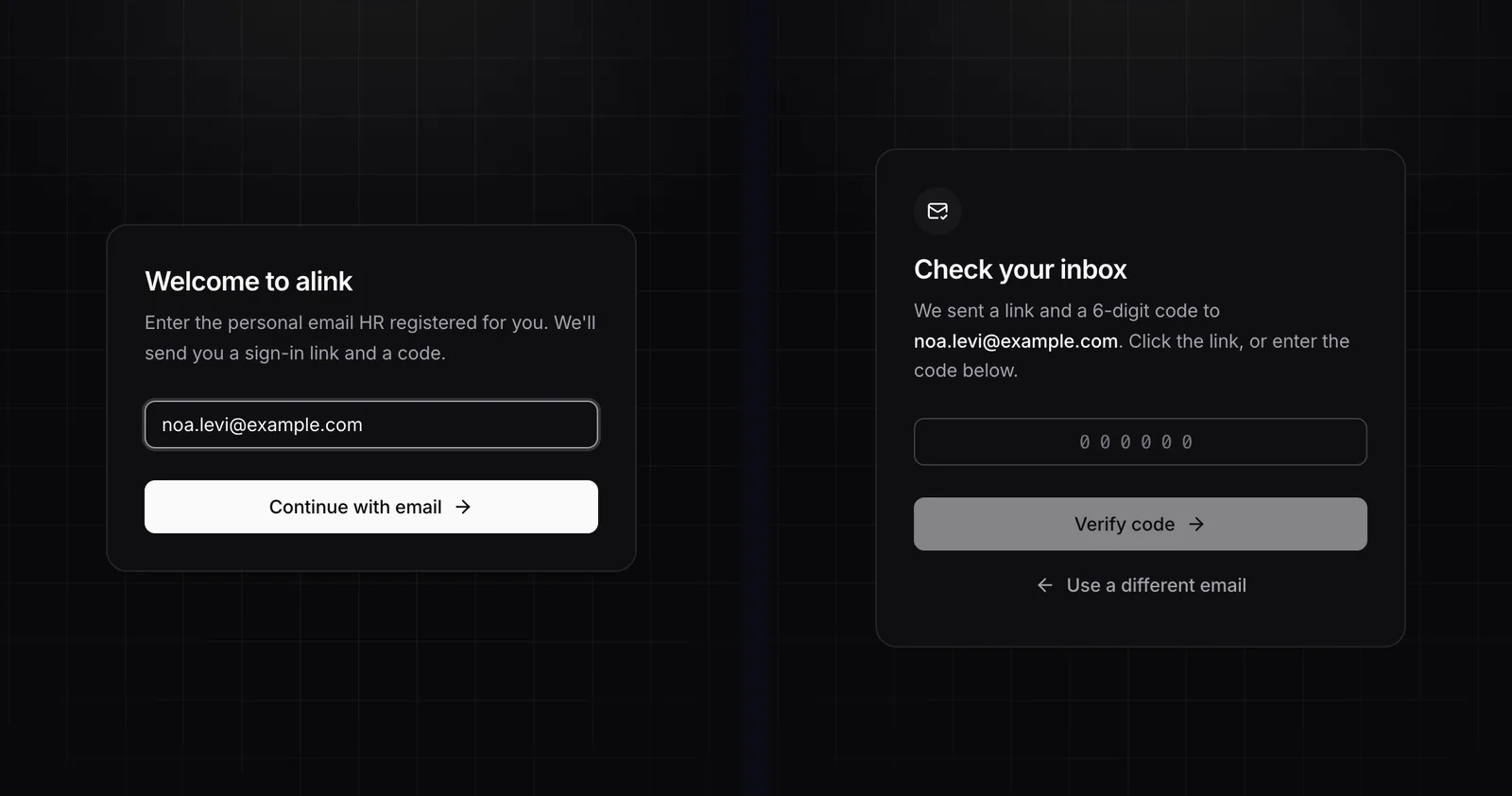
The hire gets a link and a 6-digit code by email. No password to create, none to forget.
BuiltOnboard
A multi-step form collects personal, payroll and hardware details, saving as they type.
NextProvision
On submit, accounts are created automatically, starting with Google Workspace.
NextSee it
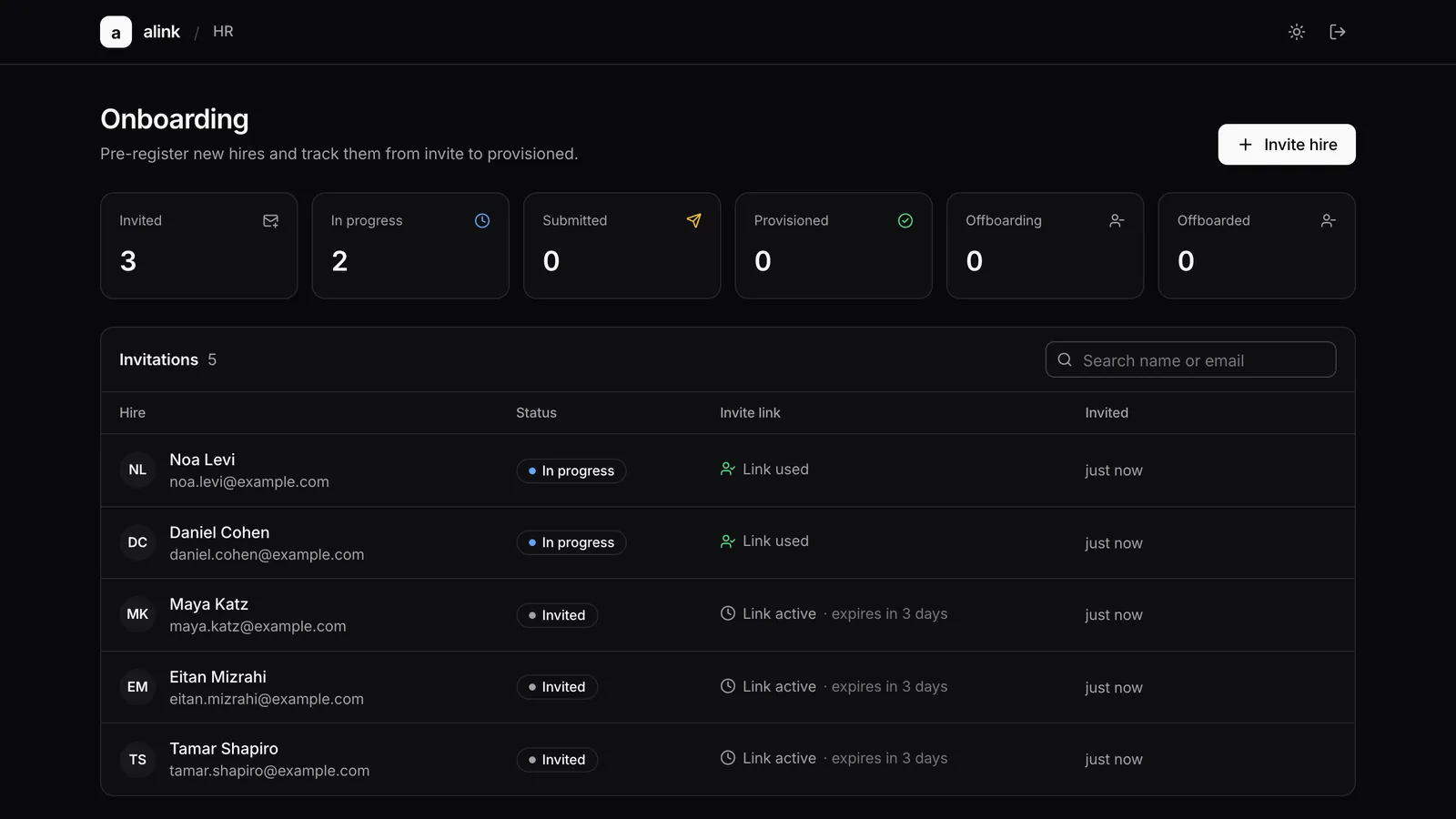
Screenshots of the running app, with sample data.
The system
Hires and admins reach a single address. Cloudflare terminates the connection and hands it to a small server in AWS Tel Aviv through a tunnel that the server itself opens, so nothing inside the cloud account is exposed to the internet.
Design decisions
Security is the default
Access is invite-only, and sign-in links are random, short-lived, single-use and stored only as hashes. The emailed link opens a page and is used up only when the person clicks, so mail scanners that pre-open links cannot burn it. Guessing is rate-limited and locked out, and every state change lands in an audit log.
No open doors
The server accepts no inbound connections. Traffic arrives through an outbound-only tunnel, the database is private, and there are no SSH keys or stored email passwords: the server uses its own cloud role. Less to leak, less to rotate.
Everything as code
One command builds the whole environment across two clouds, and one removes it. I review a plan before anything is created, so changes are predictable and the demo costs nothing once it is destroyed.
Decisions driven by real failures
Email failed in Tel Aviv because the region has no SMTP endpoint, so I moved to the provider's API and dropped the stored password entirely. A build crashed when emulating another CPU architecture, so I now build natively and ship the right image. Each fix made the system simpler.
Right-sized on purpose
One small server and one database, deliberately. The limits are written down, along with the upgrade path: managed containers and a shared rate limiter when it needs to scale. The data lives in Tel Aviv, keeping employee records in-country.
Designed to extend
The plan for account creation is pluggable connectors behind one interface, so adding Slack, Jira or GitHub later is a new adapter, not a rewrite. Google Workspace comes first.
What's next
The foundation is live: invite-only access, passwordless sign-in, the HR dashboard and the cloud environment. Next are the onboarding wizard with autosave, automatic Google Workspace account creation on submit, and the offboarding flow with scheduled account suspension.
I built it with AI as a pair programmer, which let me spend my time on the decisions above instead of boilerplate.